AI and Automation in Project Management: Use Cases, Benefits, and Cost Savings
19 min
· May 1, 2024
Last updated: October 20, 2026

Today, AI in project management goes beyond generating reports or summarizing meetings. AI-powered tools can analyze project data, forecast potential delays, automate repetitive workflows, and help teams make informed decisions. When implemented effectively, these capabilities can reduce administrative overhead, improve resource allocation, and support better budget control.
However, AI is not a substitute for an experienced project manager. Its value depends on the quality of the data, the processes being automated, and the human oversight behind important decisions.
This guide explores the role of AI in project management, its most practical use cases, the benefits and potential cost savings, popular tools, and steps for implementing AI in project workflows.
AI in project management is the use of artificial intelligence technologies, including machine learning, natural language processing, and predictive analytics, to improve project planning, execution, monitoring, and decision-making. AI-powered tools analyze project data, generate recommendations, identify potential risks, and automate workflows that would otherwise require manual effort.
Although AI and traditional automation are related, they serve different purposes. Traditional automation follows predefined rules to perform repetitive actions, such as sending deadline reminders or updating task statuses. AI can interpret unstructured information, recognize patterns, estimate future outcomes, and adapt recommendations to changing project conditions.
For example, a rule-based system might notify a project manager when a task becomes overdue. An AI-powered system could analyze historical delivery data, task dependencies, and current team capacity to identify which upcoming milestones are most likely to be delayed.
Combining AI with workflow automation allows organizations to reduce manual work while giving project managers better information for planning and execution.
The role of AI in project management is to support project managers by processing information, identifying patterns, and automating routine work. Rather than replacing project management expertise, artificial intelligence helps professionals spend less time gathering information and more time applying it.
AI can contribute throughout the project lifecycle, from initial planning and resource allocation to execution, risk management, and final reporting. The specific responsibilities it can support depend on the tools, available data, and complexity of the project.
| Project management activity | What AI can do | What remains with the project manager |
|---|---|---|
| Planning and scheduling | Suggest timelines, identify dependencies, and estimate task duration | Approve the plan, negotiate deadlines, and resolve conflicting priorities |
| Risk management | Detect warning signs, estimate risks, and flag potential delays | Assess business impact, select mitigation strategies, and escalate issues |
| Communication | Summarize meetings, draft updates, and identify action items | Manage stakeholder expectations and handle sensitive conversations |
| Decision-making | Compare scenarios, analyze trends, and generate recommendations | Apply business context, challenge assumptions, and make final decisions |
| Resource allocation | Identify capacity gaps and suggest task assignments | Balance workloads, resolve conflicts, and account for individual circumstances |
| Reporting and control | Generate status reports and highlight deviations from the baseline | Validate findings, communicate accountability, and approve corrective actions |
Human oversight remains essential, especially when AI recommendations affect budgets, delivery commitments, staffing, or confidential information. AI outputs should be treated as decision support rather than unquestionable facts.

The use of AI in project management spans several activities that influence project delivery, from workflow automation to predictive analytics. The following table summarizes common applications, the work AI can support, and the expected operational impact.
| Application | What AI automates or supports | Example tool | Potential impact |
|---|---|---|---|
| Task and workflow automation | Meeting summaries, action items, routine updates, and report drafts | ClickUp, Taskade | Time savings and less administrative work |
| Monitoring and reporting | Progress summaries, status analysis, and anomaly detection | Jira, monday.com | Faster reporting and earlier visibility into delays |
| Predictive analytics | Forecasts for delivery dates, budgets, and workload | Jira, ClickUp | Better forecasting and fewer unexpected overruns |
| Planning and scheduling | Task breakdowns, dependencies, and schedule recommendations | ClickUp, monday.com | More efficient planning |
| Resource allocation | Capacity analysis and workload recommendations | ClickUp, monday.com | Reduced idle time and resource conflicts |
| Risk management | Risk identification, prioritization, and early warnings | Jira, ClickUp | Earlier intervention and lower exposure to delays |
| Virtual assistance and PMO support | Project documentation, knowledge retrieval, and meeting preparation | Taskade, ClickUp | Reduced administrative burden |
| Team communication | Summaries, action-item tracking, and feedback analysis | ClickUp, monday.com | Better collaboration and clearer follow-ups |
These are examples of relevant tool capabilities, not a guarantee that every feature is available on every plan. Actual results depend on integrations, data quality, configuration, and human review.
AI task automation helps project managers reduce the time spent on repetitive activities such as preparing reports, documenting meetings, updating task descriptions, and collecting status information. Combined with workflow automation, it can connect these activities into a more consistent process.
For example, after a project meeting, an AI assistant could summarize the discussion, extract decisions, identify action items, and draft follow-up messages. A connected automation could then route the tasks to the relevant team members for review.
In software development projects, AI can also support testing workflows by helping generate test cases, summarize test results, and flag potential defects for engineers to investigate.
The key is to automate predictable, repeatable steps while keeping human approval for decisions that require context or accountability.
AI-powered monitoring tools can analyze project status, deadlines, task completion, and budget information to highlight deviations from the project plan.
Instead of manually reviewing multiple dashboards, a project manager can use AI-generated summaries to identify overdue tasks, emerging bottlenecks, and milestones that need attention. Automated reporting also makes it easier to distribute consistent updates to stakeholders.
These insights are only as reliable as the underlying data. Teams should maintain accurate task statuses, clear ownership, and consistent reporting practices to make AI monitoring useful.
Predictive analytics uses historical and current project data to estimate what might happen next. Machine learning models can identify patterns in delivery times, workload, spending, and task dependencies that may indicate future problems.
For example, if a software project has repeatedly underestimated integration work, a predictive system might flag a higher probability of missing the next release milestone. Similarly, it could compare the current spending rate with remaining work to estimate whether the project is likely to exceed its budget.
These forecasts help project managers intervene earlier, adjust plans, and communicate realistic expectations. They should be treated as estimates, not guarantees, particularly when project conditions change or historical data is limited.
AI can help project managers break down project goals into tasks, identify dependencies, estimate effort, and compare scheduling scenarios. Some tools can also suggest priorities based on deadlines, task importance, and team capacity.
For example, an AI assistant might identify that a delayed API integration threatens several downstream development tasks. The project manager can then evaluate whether to reassign an engineer, change the sequence of work, or revise a milestone.
AI-assisted scheduling is particularly useful for distributed software development teams, where capacity, dependencies, and time-zone differences can complicate coordination. However, final schedules should reflect stakeholder commitments, technical constraints, and realistic estimates from the people doing the work.
AI can analyze project requirements, team capacity, skills, and task dependencies to recommend more efficient resource allocation. It can help identify overloaded team members, underused capacity, and potential conflicts between projects.
Better allocation can reduce costs by limiting unnecessary overtime, avoiding prolonged idle periods, and helping teams use existing capacity before adding external resources. It can also highlight when a skills gap or sustained capacity shortage requires additional hiring.
AI recommendations should account for more than availability alone. Experience, task complexity, employee well-being, and the risk of overloading key contributors all matter.
AI can support risk management by analyzing project histories, current progress, dependencies, and changes in scope to identify early warning signs.
For instance, a system might flag a project where several dependent tasks are slipping, spending is accelerating, and a critical specialist is assigned to multiple deadlines. The project manager can investigate the situation and determine whether to adjust the schedule, redistribute work, or escalate the issue.
AI can also help maintain risk registers, summarize mitigation plans, and monitor changes over time. However, it cannot reliably identify every strategic, contractual, or interpersonal risk. Human oversight is necessary to validate warnings and select appropriate responses.
Virtual project assistants can help project managers prepare meeting agendas, summarize discussions, draft status reports, search project documentation, and retrieve information from connected knowledge sources. These capabilities can also support a project management office (PMO) by making reporting more consistent and reducing routine administrative work.
Some AI tools can analyze team feedback and communication patterns to flag recurring concerns or potential collaboration issues. Such sentiment analysis should be handled carefully, with respect for privacy and without treating automated interpretations of employee messages as definitive assessments.
A virtual assistant is most useful when it has access to approved, relevant project information and produces outputs that team members can verify before sharing or acting on them.
The benefits of AI in project management extend beyond task automation. When organizations introduce AI into well-defined workflows, they can improve productivity, make better-informed decisions, and identify potential delivery problems earlier.
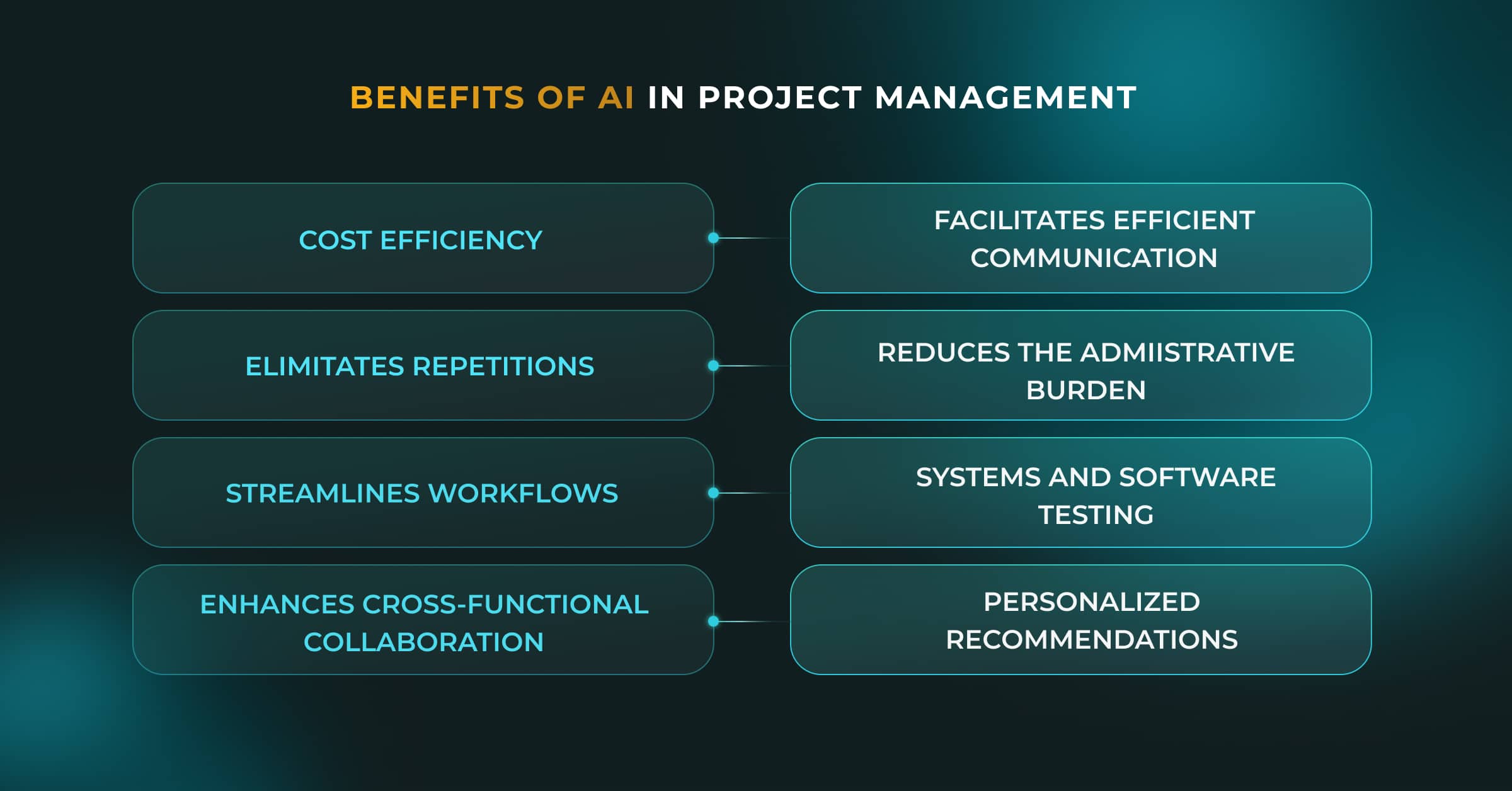
Four areas are particularly important.
AI can help control project costs by identifying inefficient processes, forecasting spending, and improving resource allocation. It can also help project managers detect budget deviations earlier, when corrective action may be less expensive.
For example, if a project is consuming more engineering hours than planned, AI-assisted analysis can help identify the tasks responsible and estimate the potential impact on the final budget.
However, AI software introduces its own costs, including subscriptions, implementation, integrations, training, and ongoing usage. The financial benefit should therefore be measured against the full cost of adoption. See the section on cost reduction by using AI in project management for a practical framework.
AI can reduce the time spent preparing reports, documenting meetings, updating project records, and coordinating routine tasks. Workflow automation can also reduce delays caused by manual handoffs and missing information.
The time saved can be redirected toward planning, stakeholder communication, problem-solving, and team support. To evaluate the impact, measure how long recurring activities take before and after implementation rather than assuming that automation automatically creates productivity gains.
AI can help distributed teams maintain shared context by summarizing discussions, documenting decisions, and identifying action items. It can also make project information easier to find across multiple tools, reducing misunderstandings and unnecessary meetings.
These capabilities are particularly relevant when managing distributed teams, where asynchronous communication and clear ownership are essential to project delivery.
AI-generated messages and summaries should still be reviewed for accuracy, tone, and context, especially when communicating with clients or resolving conflicts.
AI can consolidate project data, identify trends, compare scenarios, and generate recommendations that help project managers evaluate options more quickly.
For example, an AI-powered tool might compare the projected cost of hiring an additional developer with the potential cost of delaying a release. Personalized recommendations can also help prioritize tasks based on project history, current capacity, and delivery objectives.
The final decision remains with the project manager, who must consider business priorities, stakeholder expectations, and information that may not be captured in the system.
Cost reduction by using AI in project management comes primarily from improving how teams spend their time, manage resources, and respond to problems. AI does not automatically make a project cheaper, but it can help prevent avoidable expenses by identifying inefficiencies before they grow.
Four areas offer practical opportunities for savings:
Administrative time: Automating routine reports, meeting notes, and status updates reduces the hours spent on coordination.
Rework: Identifying inconsistent requirements, missing information, and potential defects earlier can reduce the cost of fixing problems later.
Delays and budget overruns: Predictive analytics can flag delivery risks and spending deviations, giving managers more time to take corrective action.
Idle or misallocated resources: Better resource allocation can reduce unproductive waiting, unnecessary overtime, and avoidable external hiring.
The amount saved depends on the project, baseline costs, implementation effort, and how consistently the team uses the new workflows.
| Cost category | How AI can help reduce costs | How to measure the impact |
|---|---|---|
| Administrative work | Automate reports, summaries, and routine updates | Hours spent on administration before and after implementation |
| Rework | Identify inconsistencies and potential defects earlier | Rework hours and defect-related costs |
| Delays | Flag dependencies and schedule risks earlier | Delay days and associated costs |
| Resource utilization | Highlight capacity gaps and allocation conflicts | Utilization rates, idle hours, and overtime |
| Budget management | Forecast spending and identify deviations | Forecast accuracy and actual versus planned expenditure |
| Coordination | Reduce manual handoffs and repeated status requests | Coordination hours and time spent waiting for approvals |
The goal is not simply to reduce headcount or make individual tasks faster. It is to improve overall delivery efficiency while maintaining quality and protecting the team’s ability to make sound decisions.
To understand whether AI savings project management initiatives actually deliver value, establish a baseline before introducing a tool. Track the same activities, costs, and outcomes during the pilot and after implementation.
A straightforward way to measure the financial return is to calculate return on investment (ROI):
For example, suppose an AI implementation generates $15,000 in verified financial benefits over a measurement period and costs $5,000 in total. Its ROI would be 200%.
This is an illustrative calculation, not a reported customer result. The benefits and costs must be measured over the same period and should include implementation, subscriptions, integration, training, and ongoing maintenance.
Track these metrics before and after implementation:
Time savings: Hours saved on reporting, scheduling, documentation, and coordination.
Cost savings: Verified reductions in administrative expenses, rework, overtime, or external services.
Budget performance: Actual spending compared with the approved budget and forecast.
Schedule performance: Milestone adherence, delivery delays, and time spent resolving bottlenecks.
Resource utilization: Changes in idle time, workload distribution, and overtime.
Quality: Defect rates, rework hours, and acceptance rates.
AI operating costs: Subscription fees, usage-based charges, integrations, and maintenance.
Convert saved hours into financial benefits only when they represent a measurable economic gain, such as reduced paid overtime, avoided external expenditure, or additional productive work. Otherwise, report them separately as time savings to avoid overstating ROI.
A credible case study should show the original problem, the AI solution, the measurement period, and the verified result. Without a documented project and reliable before-and-after figures, assigning a percentage reduction in costs would be misleading.
Example: Automating software project reporting
The challenge
A project manager spends 10 hours per week collecting status updates, preparing reports, and documenting meetings across a distributed engineering team.
The intervention
The team introduces an AI assistant to summarize meetings, draft weekly reports, and extract action items from approved project records. The project manager reviews the outputs before distribution.
How to evaluate the result
Compare reporting hours, error rates, software costs, and implementation expenses over equivalent periods before and after adoption. Calculate the net benefit using only verified savings and measurable productivity gains.
For an actual Newxel case study, replace this example with a documented engagement and approved performance data. If no verified figures are available, describe the process improvement without claiming a specific percentage of cost reduction.

Explore how Newxel helped Renesas to turn a simple staffing request into an R&D center and strategic partnership.
The best AI project management tools depend on the type of work, the team’s existing software, integration requirements, and budget. Some platforms add AI to established task-management workflows, while others emphasize time tracking, flexible automations, or AI assistants.
The following comparison covers the tools from the original article. Pricing and AI entitlements can change, so verify the current terms on each vendor’s official website before selecting a tool.
| Tool | AI capabilities | Best for | Pricing model |
|---|---|---|---|
| Jira | Atlassian Intelligence features, AI-assisted work summaries, and support for finding information across connected Atlassian products | Software development teams managing backlogs, sprints, and dependencies | Free and paid plans; AI availability depends on the product and plan |
| ClickUp | AI-assisted writing, task management, summaries, and project information retrieval | Teams looking to centralize tasks, documentation, and collaboration | Free and paid plans; AI features and usage depend on the plan |
| Timely | Automatic time tracking and AI-assisted timesheets and reporting | Teams that need visibility into project hours and time allocation | Paid subscription plans; check current plan limits |
| Taskade | AI assistants, task generation, agents, and workflow automation | Small teams and distributed teams seeking configurable AI workflows | Free tier and paid plans; AI credits and features vary |
| monday.com | AI-assisted workflows, content generation, and supported automation features | Teams coordinating cross-functional projects and business processes | Plan-based subscriptions; AI credit arrangements depend on the product and plan |
For software companies building a custom AI-enabled project delivery platform, the requirements may go beyond what an off-the-shelf tool provides. In that case, an experienced AI engineering team can help assess the architecture, integrations, and maintenance requirements.
Successful implementation starts with a specific operational problem, not with adopting AI for its own sake. Use the following five steps to introduce AI into project workflows in a controlled, measurable way.
1. Audit existing processes. Identify repetitive tasks, manual handoffs, recurring reporting problems, and common causes of delays. Record current time, cost, quality, and delivery metrics to establish a baseline.
2. Choose the right tool. Match the problem to a suitable AI capability. For example, use AI-assisted summaries for reporting, predictive analytics for forecasting, or workflow automation for repetitive approvals. Check integrations, access controls, data handling, and the full cost of ownership.
3. Run a focused pilot. Select one workflow with clear success criteria, such as reducing the time needed to prepare a weekly status report. Test the tool with representative data and compare results against the original process.
4. Train the team and define human oversight. Explain how the tool works, when outputs need review, what information can be shared, and who is accountable for decisions. For more complex custom solutions, an experienced AI development team can support architecture, integration, and implementation.
5. Measure results and scale gradually. Compare post-implementation metrics with the baseline. Expand the solution only when the pilot demonstrates meaningful benefits without unacceptable quality, security, or operational risks.
A phased rollout makes it easier to identify problems early and helps teams build trust in AI-assisted workflows.
Despite its potential benefits, artificial intelligence introduces risks that project managers need to address before automating critical workflows.
Poor data quality: Incomplete task records, inconsistent estimates, and outdated project information can lead to unreliable forecasts and recommendations. Establish clear data ownership and validation processes.
Security and privacy: Project records may contain confidential business information, client details, or personal data. Review vendor data policies, access permissions, retention settings, and applicable compliance requirements before connecting AI tools.
Resistance to change: Team members may worry about additional monitoring, job security, or unfamiliar processes. Explain the purpose of implementation, involve employees in testing, and provide practical training.
Overreliance on AI: AI can generate inaccurate summaries, overlook important context, or present uncertain predictions too confidently. Require human review for significant decisions and maintain clear accountability.
Hidden costs: Subscriptions, AI credits, integration work, training, and ongoing maintenance can offset the expected savings. Include these expenses when calculating ROI.
These issues are especially relevant to distributed engineering teams, where communication, access control, and shared processes need careful coordination. Strong practices for managing offshore teams can help establish clear responsibilities and consistent delivery processes.
The safest approach is to start with low-risk tasks, validate results, and introduce stronger controls as AI becomes involved in more consequential decisions.
AI is likely to become more deeply embedded in project management software, moving from isolated assistance toward connected workflows that can recommend and, within defined permissions, execute multiple steps.
AI agents may increasingly help teams coordinate tasks, gather project information, identify delivery risks, and prepare responses to changing conditions. Predictive analytics may also become more useful as organizations improve the quality and consistency of their project data.
However, greater automation will not remove the need for experienced project managers. As AI handles more routine work, professionals will still need to set priorities, negotiate trade-offs, manage stakeholders, assess uncertainty, and take responsibility for outcomes.
Organizations that benefit most will be those that combine appropriate technology with clear processes, reliable data, human oversight, and continuous measurement. The future of project management artificial intelligence is therefore not simply about automating more tasks; it is about making project delivery more informed, adaptable, and accountable.
Implementing AI in project delivery may require more than selecting software. Companies building custom AI capabilities need the right engineering expertise to develop integrations, connect data sources, establish security controls, and maintain the solution as requirements evolve.
Newxel helps technology companies build and scale engineering teams through dedicated development teams and IT staff augmentation. Depending on your requirements, you can bring in the expertise needed to develop AI-enabled workflows, integrate existing platforms, or build custom project management software.
Explore Newxel’s dedicated development team model to discuss the engineering capacity and technical skills required for your project.
AI in project management can help teams automate repetitive work, improve forecasting, optimize resource allocation, and identify risks before they disrupt delivery. The benefits are most meaningful when organizations measure time savings, quality improvements, and cost reduction against a clear baseline. AI-powered tools should support rather than replace human judgment, with project managers retaining responsibility for critical decisions. Start with one well-defined workflow, validate the results, and scale what demonstrably improves project outcomes.